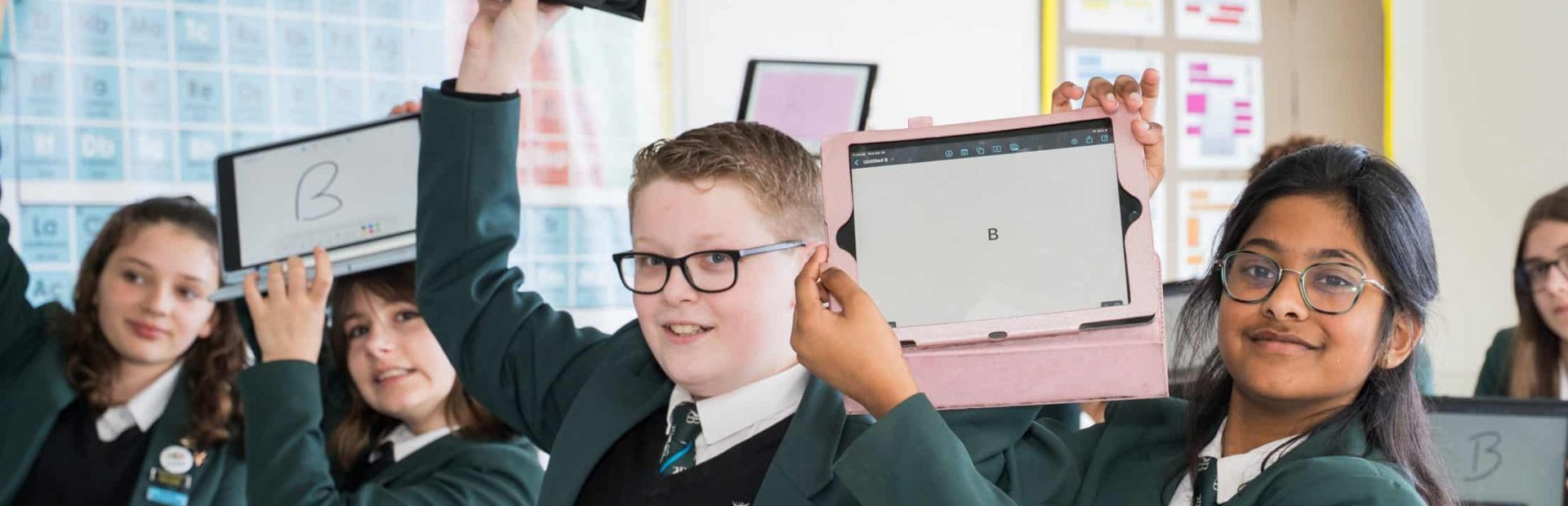
The apps listed below are what we believe to be essential apps for students at Bohunt Worthing.
Not all apps will be used by all year groups in all lessons, but each provides a different way to utilise iPads and technology in the classroom.
Year 7 iPads purchased through the school will have each of these apps downloaded upon delivery.

is an app that helps teachers manage their classroom and students. It allows teachers and parents to track student behavior. Parents have been given a parental code to login to Classcharts so that they can see the behaviour profile of their children. This is also how we set and communicate homework to students. Students need to be logged into their own account for this.
is an interactive whiteboard app that allows users to write, draw, and annotate on documents and images. It also includes features such as screen recording, screen sharing, and collaboration tools. It allows students and staff to explain concepts to each other. Student accounts need to be set up for this app but this is done in school.
is a digital audio workstation app that allows users to create and record music. It includes a variety of instruments, effects, and loops, as well as tools for editing and mixing audio. It is used mostly in music lessons. This app does not require an account.

is a free email service that allows users to send and receive emails from anywhere in the world. It also includes features such as spam filtering, search, and contact management. All students have a school email address that should be linked to their Gmail account.

is a web browser that allows users to browse the internet. It is known for its speed, security, and ease of use. This is linked to student Gmail accounts to allow them to save favorite websites for example.
is a word processing app that allows users to create and edit documents online. It includes features such as real-time collaboration, formatting tools, and integrations with other Google products. This is linked to student Gmail accounts.
is a cloud storage service that allows users to store and share files online. It is accessible from anywhere with an internet connection. This is linked to student Gmail accounts.

is a spreadsheet app that allows users to create and edit spreadsheets online. It includes features such as formulas, functions, and charts and graphs. This is linked to student Gmail accounts.

is a presentation app that allows users to create and edit presentations online. It includes features such as templates, transitions, and animations. This is linked to student gmail accounts.

is a video editing app that allows users to create and edit videos. It includes features such as trimming, cropping, and adding effects and transitions. Students do not need an account for this as projects are saved on their iPad.

is a presentation app that allows users to create and edit presentations. It includes features such as templates, transitions, and animations. Students do not need an account for this as projects are saved on their iPad.

is an interactive learning platform that allows teachers to create and deliver engaging lessons to their students. It includes features such as interactive slides, polls, and quizzes.Students do not need an account for this although they can create an account linked to their Gmail account.

is a digital collaboration platform that allows users to create and share interactive boards. It can be used for a variety of purposes, such as brainstorming, creating presentations, and collaborating on projects. Students do not need an account for this although they can create an account linked to their Gmail account.

is a digital learning platform that allows teachers to create and assign assignments to their students. It also includes features for tracking student progress and providing feedback. This is one of our most regularly used apps (students in older years may use google classroom in place of Showbie currently). Students must be logged into an account created through the school.

is a science teaching app that allows teachers to demonstrate science concepts and experiments to their students. It includes features such as real-time data collection and analysis, and interactive simulations. This app does not require an account.

is a science learning app that helps students learn science content through regular small scale multiple choice quizzes.This is used for science homework. Students in year 7 and 8 are expected to complete a weekly goal of Tassomai tasks every week. Logins are created and managed by the science department.

is a language learning app that helps students learn new languages through personalized lessons and practice exercises. It includes features for learning vocabulary, grammar, and pronunciation.

is a language vocabulary learning app that helps students learn their vocabulary through learning, testing and gaming exercises, and is linked to all knowledge organiser learning.

is a revision quiz app that helps students learn key terms, diagrams and concepts through learning, testing and gaming exercises.

is a Maths Homework application which personalises the difficulty based ability. The learning algorithm enables all students to make significant progress, with helpful videos, and extra practice questions available, and opportunities for self directed study. This is used by students in all year groups.
MyGCSE science (year 9-11 only) is a science learning app that helps students prepare for their GCSEs by providing videos, multiple choice quizzes and practice exam questions. Students should complete the quizzes assigned to them weekly as homework. Logins are created and managed by the science department.
Seneca learning is a website dedicated to revision resources for a variety of subjects. Subjects are organised by topic. Students work through topics by watching videos and answering short questions in a variety of forms. It is useful for basic factual recall.
Design Technology – TechnologyStudent (https://technologystudent.com/despro_flsh/mobapp2.html). This website contains lots of really useful revision resources for GCSE DT revision.
GCSE PE (Y9,10,11) and Sports Studies (Y11)
The Everlearner website – www.theeverlearner.com
Students have their own individual login and password. This is used for tracked retrieval and for homework activities. Students are able to access their scores to inform them of their own strengths and weaknesses and to assess their learning and progress.
Double Nomination
Read More
Double Nomination
Read More
Double Nomination
Read More
Double Nomination
Read More
Double Nomination
Read More
Double Nomination
Read More
Double Nomination
Read More
Double Nomination
Read More
Double Nomination
Read More
Double Nomination
Read More